精华0
阅读权限250
最后登录2026-11-6
在线时间72 小时

总版主
 名望 - 0 点
 星币 - 6396 枚
 星辰 - 0 颗
 好评 - 2 点
|
注册登录后全站资源免费查看下载
您需要 登录 才可以下载或查看,没有账号?立即注册
×
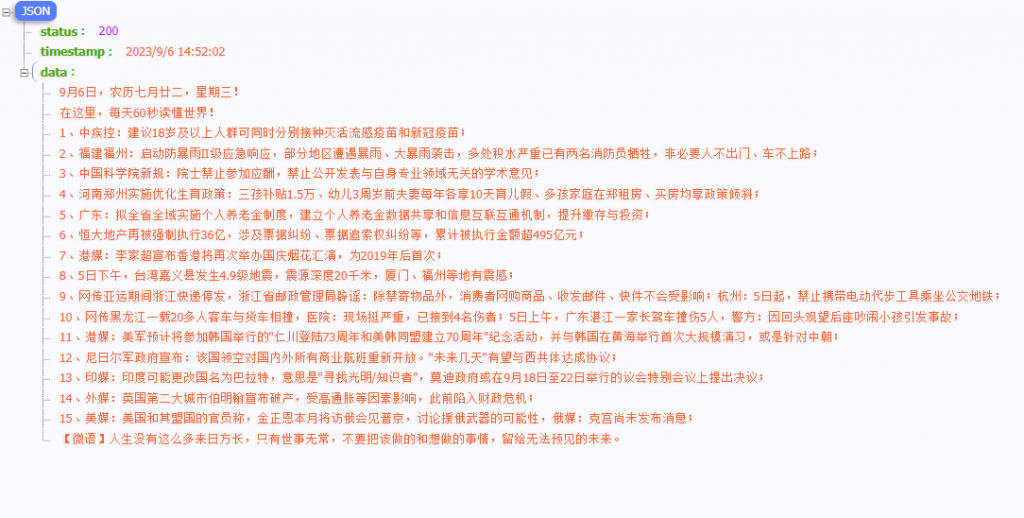
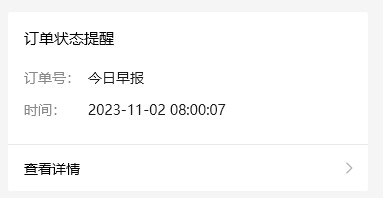
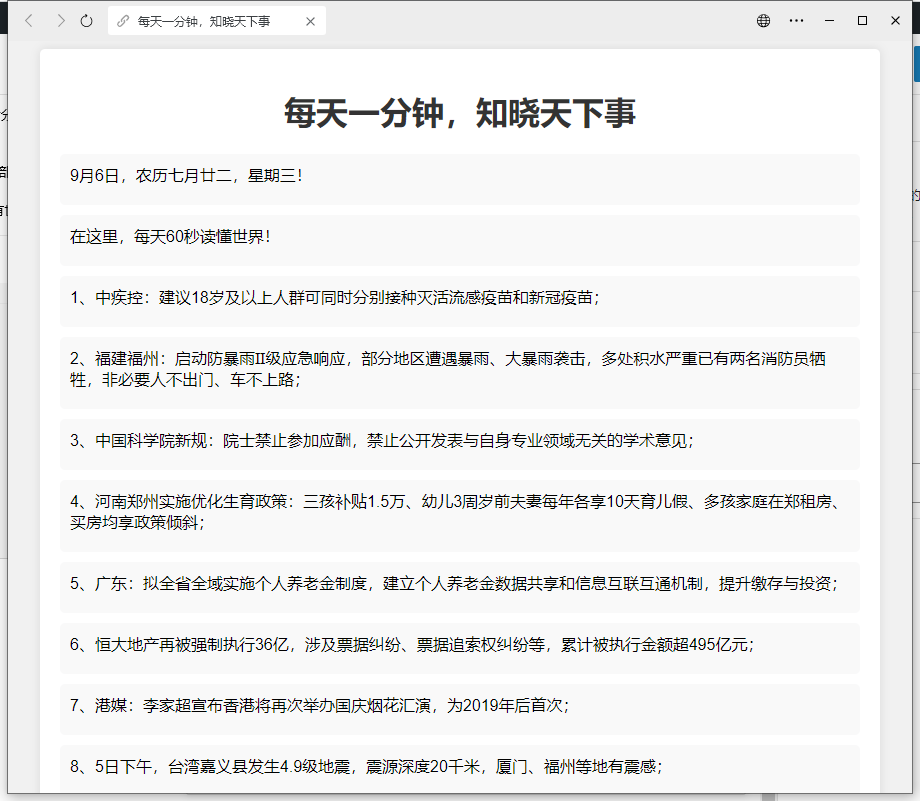
九月份的时候,因为每天上班时候坐电梯想看下昨天发生了啥,就寻思写个接口获取一下新闻,然后推送过来;找了好几家接口都更新速度太慢了,索性自己来了;
基本逻辑:
是抓包知乎里的一个大佬每天更新,他差不多每天凌晨更新, 我早8更新肯定木得问题;
知乎地址:https://www.zhihu.com/api/v4/columns/c_1261258401923026944/items
然后根据获取的数据进行解析:
- // 将HTML字符串转换为DOM对象
const parser = new DOMParser();
const doc = parser.parseFromString(html, 'text/html');
// 选择所有的<p>亓素
const paragraphs = doc.querySelectorAll('p');
// 遍历每个<p>亓素并提取文本内容
const texts = [];
// 输出提取的文本内容
paragraphs.forEach((p) => { const text = p.textContent.trim(); texts.push(text); });
// 输出数据
console.log(texts);
复制代码
根据这个解析数据写node脚本
- const express = require('express');
const https = require('https');
const cheerio = require('cheerio');
const app = express();
const port = 3000;
app.get('/api/data', (req, res) => {
// 发起GET请求获取API数据
https.get('https://www.zhihu.com/api/v4/columns/c_1261258401923026944/items', (response) => {
let data = '';
// 接收数据块并拼接
response.on('data', (chunk) => {
data += chunk;
});
// 数据接收完毕后进行处理
response.on('end', () => {
try {
const jsonData = JSON.parse(data); // 解析返回的JSON数据
const firstItem = jsonData.data[0]; // 获取第一条数据
const content = firstItem.content; // 获取content字段
// 使用cheerio加载HTML字符串
const $ = cheerio.load(content);
// 选择所有的<p>亓素
const paragraphs = $('p');
// 遍历每个<p>亓素并提取非空文本内容
const texts = [];
paragraphs.each((index, element) => {
const text = $(element).text().trim();
if (text !== '') {
texts.push(text);
}
});
// 添加当前时间和返回状态
const result = {
status: response.statusCode,
timestamp: new Date().toLocaleString(),
data: texts
};
// 返回结果
res.json(result);
} catch (error) {
console.error('Error:', error.message);
res.status(500).json({ error: 'Internal Server Error' });
}
});
}).on('error', (error) => {
console.error('Error:', error.message);
res.status(500).json({ error: 'Internal Server Error' });
});
});
app.listen(port, () => {
console.log(`Server is running on port ${port}`);
});
复制代码
后来闲着没事,写了个脚本推送给wx测试程序, 我写了定时,每天早8推给我
- const axios = require('axios');
const cron = require('node-cron');
// 配置参数
const config = {
appId: 'xxxxx',
appSecret: 'xxxxx',
openId: 'xxxxxx',
templateId: 'xxxxx',
};
// 获取 access_token
async function getAccessToken() {
const url = `https://api.weixin.qq.com/cgi-bin/token?grant_type=client_credential&appid=${config.appId}&secret=${config.appSecret}`;
try {
const response = await axios.get(url);
return response.data.access_token;
} catch (error) {
console.error(error);
throw error;
}
}
// 调用接口获取数据
async function getDate() {
const url = `接口地址`;
try {
const response = await axios.get(url);
return response.data;
} catch (error) {
console.error(error);
throw error;
}
}
// 发送
async function sendTemplateMessage(token, config, configdate) {
const url = `https://api.weixin.qq.com/cgi-bin/message/template/send?access_token=${token}`;
const data = {
touser: config.openId,
template_id: config.templateId,
url: 'http://new.v60s.cn',
data: {
nowDate: {
value: configdate.data[0],
color: '#57E6E2',
},
low: {
value: configdate.data[2],
color: '#7CD47D',
},
high: {
value: configdate.data[3],
color: '#CBA476',
},
loveDate: {
value: configdate.data[configdate.data.length-1],
color: '#AEC5C8',
},
},
};
try {
const response = await axios.post(url, data);
console.log('sendTemplateMessage response:', response.data);
} catch (error) {
console.error(error);
throw error;
}
}
// 调用发送模板消息函数
async function main() {
const configdate = await getDate();
const token = await getAccessToken();
await sendTemplateMessage(token, config, configdate);
}
// 每天早上8点执行
cron.schedule('0 8 * * *', () => {
main();
});
复制代码
最后配一个html页面;
- <!DOCTYPE html>
<html>
<head>
<meta charset="UTF-8">
<title>每天一分钟,知晓天下事</title>
<style>
/* 样式可以根据需要自行定制 */
body {
font-family: Arial, sans-serif;
background-color: #f1f1f1;
}
.container {
max-width: 800px;
margin: 0 auto;
padding: 20px;
background-color: #fff;
box-shadow: 0 0 10px rgba(0, 0, 0, 0.1);
border-radius: 5px;
}
h1 {
color: #333;
text-align: center;
}
.data-list {
list-style: none;
padding: 0;
}
.data-item {
margin-bottom: 10px;
padding: 10px;
background-color: #f9f9f9;
border-radius: 5px;
}
.data-item .content {
margin-bottom: 10px;
}
.data-item .content p {
margin: 0;
padding: 0;
}
.timestamp {
text-align: center;
color: #666;
}
</style>
</head>
<body>
<div class="container">
<h1>每天一分钟,知晓天下事</h1>
<div class="data-list" id="dataList"></div>
<p class="timestamp" id="timestamp"></p>
</div>
<script>
// 使用异步请求获取数据
fetch('http://42.123.125.40:3000/api/data')
.then(response => response.json())
.then(data => {
const dataList = document.getElementById('dataList');
const timestamp = document.getElementById('timestamp');
// 渲染数据列表
data.data.forEach(item => {
const listItem = document.createElement('div');
listItem.className = 'data-item';
const content = document.createElement('div');
content.className = 'content';
item.split('\n').forEach(paragraph => {
const p = document.createElement('p');
p.textContent = paragraph;
content.appendChild(p);
});
listItem.appendChild(content);
dataList.appendChild(listItem);
});
// 显示时间戳
timestamp.textContent = `数据最/新更新时间:${data.timestamp}`;
})
.catch(error => console.error(error));
</script>
</body>
</html>
复制代码
|
|

 关注公众号



 发表于
 提升卡
 变色卡

 发表于